






How to Connect QuickBooks to Company Messaging
Six ways to get QuickBooks invoice, bill, and payment answers into Slack and Teams: bots, Zapier, Power Automate, webhooks, or Kipper, with trade-offs.
Breadwinner Team
September 14, 2026
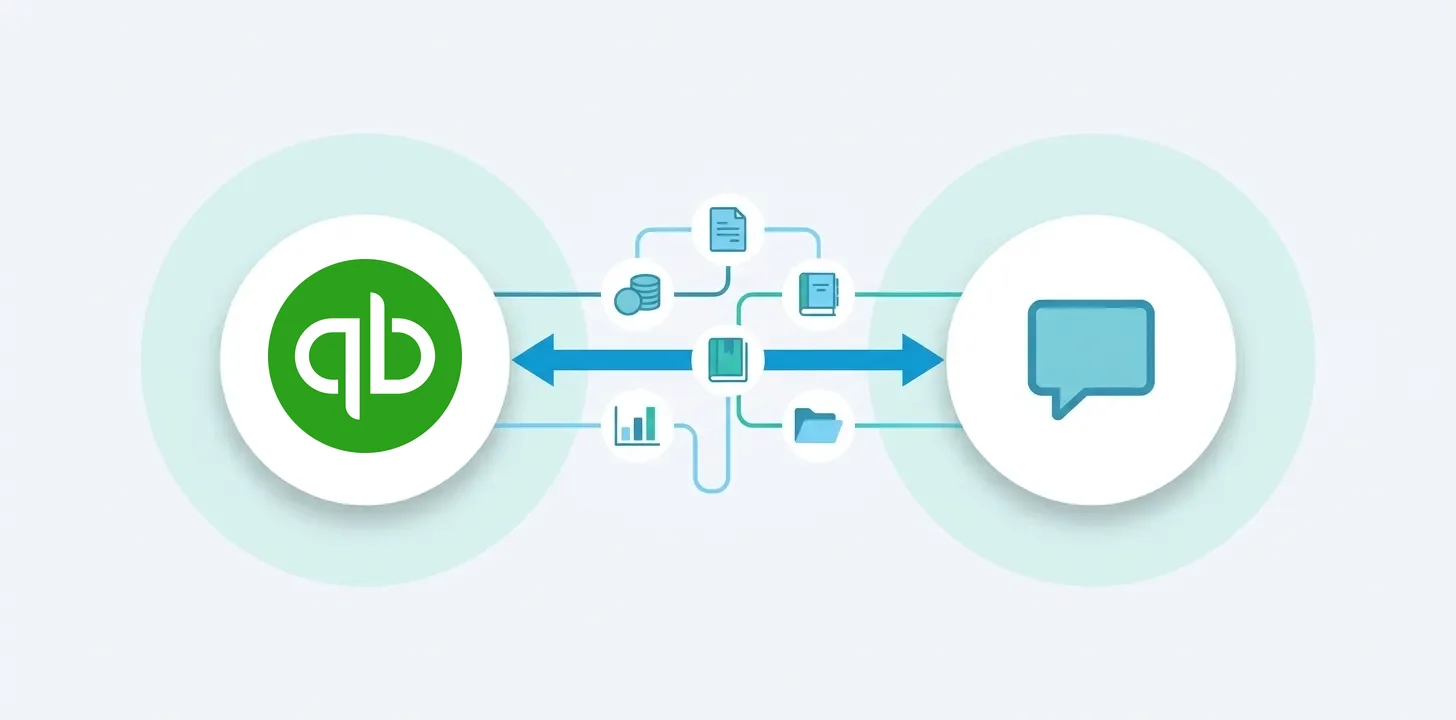
Many people outside finance need information that lives in QuickBooks, and most of them do not have a QuickBooks login. A sales rep wants to know whether Cedar & Co paid invoice 3319 before a renewal call. An office coordinator wants the bills due before Friday. QuickBooks seats are capped per plan and finance holds most of them, so the question gets typed into Slack or Microsoft Teams and someone in finance stops what they are doing to look it up.
There are six ways to close that gap: installing Kipper, building a Slack bot or a Teams bot on the QuickBooks API, setting up Zaps in Zapier, wiring a low-code flow in Microsoft’s stack, or pushing webhook alerts into a channel. This post walks through each one, with what it costs and who has to build it.
One disclosure up front: Kipper is a separate product built by the same team behind Breadwinner. We have shipped QuickBooks integrations for over a decade, and the examples below highlight the parts that tend to become difficult in production.
API limits, SDK status, and licensing details in this post were verified in September 2026.
Three shapes of “connected”: triggered, command, and natural language
Every approach here delivers one of three things. Which one you get matters more than whether it runs in Slack or Teams.
- Triggered messages. Something happens in QuickBooks and a message posts: a payment lands, an invoice goes overdue, Monday’s AP summary is due. Nobody asks; the channel just fills up.
- Command messages. A person types a fixed syntax,
/qb invoice 1042, and gets the one answer that command was wired to return. Every new question shape is a new command someone has to build. - Natural language messages. A person asks in their own words, “what does Bright Harbor still owe us, and how much of it is more than 30 days late?”, and the system works out which records to read and how to combine them.
Triggered is easy and cheap. Command is what a hand-built bot delivers. Natural language is what people picture when they say they want QuickBooks in Slack or Teams, and the do-it-yourself routes below stop short of it. Option 1, Kipper, delivers it out of the box. Options 2 and 3 are command bots. Options 4 and 5 support triggered messages and fixed-command lookups; Option 6 delivers change alerts. Adding reliable natural-language query planning to any of the do-it-yourself routes is a large project in its own right, covered below.
Option 1: Kipper
Kipper, founded in 2025 and built by the team behind Breadwinner, is a read-only layer over QuickBooks that answers plain-English questions in Slack and Microsoft Teams.
Setup is four steps and takes under an hour, none of it code:
- A QuickBooks admin authorizes Kipper. Access is read-only; Kipper cannot create, edit, or delete anything in QuickBooks.
- Kipper syncs a copy of your customers, invoices, payments, vendors, bills, bill payments, inventory, credit memos, and vendor credits, then keeps it current through QuickBooks webhooks.
- You decide who can see what. One data access configuration is included; Enterprise customers can define several, so a sales channel sees customer invoices while an ops channel sees vendor bills.
- You install the Slack app, the Teams app, or both, and authorized users ask in the channel they already have open.
The QuickBooks Slack connector handles the questions that come up in a client channel: “Has invoice 1042 for Bright Harbor been paid?”, “Unpaid bills for Summit Janitorial this month?”, or “Send me the QuickBooks PDF for invoice 1042,” which drops the actual invoice PDF into the Slack thread. Kipper connects QuickBooks to Slack through a synced copy of the books kept current by webhooks, so a sales rep can confirm a customer’s open balance mid-call in Slack without a QuickBooks login.
The QuickBooks Teams connector does the same work inside Microsoft 365. A department channel can ask which Cedar & Co invoices are more than 30 days past due, or which bills are due before Friday, and get the list back in the channel. Kipper connects QuickBooks to Microsoft Teams as a read-only app, so authorized users stay inside Teams and the only QuickBooks login the workflow needs is the admin’s, made once.
What that buys you over the build options that follow:
- Natural language instead of commands. Kipper generates queries against synced accounting records from plain-English questions and uses the results to answer. Users can ask supported questions without learning a fixed command syntax.
- Joins and totals work. Because Kipper queries its own synced copy rather than the live API, “invoiced total by Class this quarter” is one question, not a paging loop. Class is the grouping field for QuickBooks totals.
- Invoice PDFs in the thread. Ask for an invoice by number and the QuickBooks-generated PDF lands in Slack or Teams, permission-checked.
- Real-time answers. Every question runs against Kipper’s synced copy. QuickBooks webhooks notify Kipper when invoices, payments, and bills change, so the copy stays current as the books change.
- Permissions and audit. Data access configurations control who sees customers, vendors, or PDFs. Every question is logged with who asked and when.
- No API plumbing to maintain. Rate limits, token rotation, and minor version changes are Kipper’s problem.
- Predictable pricing. Kipper’s QuickBooks plan starts at $200 per month for up to 10 active users with 2,000 questions a month included. Nobody asking needs a QuickBooks license.
- OAuth connection with read-only behavior enforced by Kipper, logical tenant isolation enforced at the database level, and a SOC 2 Type II examination in progress.
Kipper is not a reporting tool. Profit and loss statements, balance sheets, bank feeds, and aging reports stay in QuickBooks. It answers the operational questions that otherwise interrupt finance.
The rest of this post is what it takes to get there yourself.
Option 2: Build a Slack bot on the QuickBooks API
Most teams that build this end up with a slash command: someone types /qb invoice 1042, the bot queries QuickBooks, and posts the status back. The working version is about 80 lines of Python on Bolt, Slack’s official framework, and it needs an Intuit developer app, a one-time OAuth authorization by a QuickBooks admin, and somewhere to store the tokens. That much is a day or two of vibe coding.
What the 80 lines leave out is most of the project. Intuit access tokens expire after 60 minutes and the refresh token rotates, with the previous one expiring 24 hours later, so a bot that keeps the old one works for a day and then dies. The query language has no JOIN, no GROUP BY, no OR, and returns at most 1,000 rows a page, so “which Cedar & Co invoices are more than 30 days past due?” is several calls plus date math in your code. Every new question shape is a new command, and Slack tells you who asked but not whether they may see customer balances. The full walkthrough, with the Python and JavaScript code, the Intuit token and rate-limit details, and the production checklist, is in Kipper’s comparison of build options for accounting data in Slack.
Realistic vibe-coding effort: one to two days for a demo, another week or two for something a finance lead would let the sales team use, then a permanent maintenance line item.
Option 3: Build a Microsoft Teams bot
The Teams version has the same QuickBooks half and a different messaging half. Microsoft retired the Bot Framework SDK at the end of 2025 and now steers new bots toward the Teams SDK or the Microsoft 365 Agents SDK.
Three things have to be in place before any QuickBooks code runs. First, the app and bot registration, done with the Teams CLI or in the Teams Developer Portal, which issues the app identity your code authenticates with. That is a Teams-managed bot, so no Azure subscription is needed unless the bot uses an OAuth connection or single sign-on. Second, a server you host with a public HTTPS endpoint, which receives every message Teams forwards. Third, tenant approval: a Teams admin uploads the packaged app to your organization’s own catalog. An internal bot never needs a Teams Store listing.
Teams adds friction the Slack path does not have: there is no Socket Mode equivalent, so even local development needs a tunnel, and Adaptive Cards render differently on desktop, web, and mobile. The Developer Portal steps, the Teams SDK handler in Python, and the admin-center rollout are in Kipper’s comparison of build options for accounting data in Microsoft Teams.
Budget another few days on top of the Slack estimate for a team new to the Teams platform, and expect the QuickBooks constraints above to apply unchanged.
Option 4: No-code with Zapier
Zapier is the one route here that needs no developer. Its QuickBooks integration has instant triggers such as New Paid Invoice and New Bill, search steps such as Find Invoice and Find Customer, and Send Channel Message actions for both Slack and Teams. QuickBooks is a premium app on Zapier, so it needs a paid plan, from $19.99 a month billed yearly for 750 tasks as of September 2026.
Alerts are the natural fit. A two-step Zap posts “Invoice 1042 for Bright Harbor paid” into a channel within a minute or two of the payment landing, and takes about twenty minutes to set up.
Lookups work, within limits. A Zap can read a bare invoice number out of a message and reply with Find Invoice, at two tasks a question, and Find Customer returns one customer’s balance by name. Combining the two, or listing a customer’s open invoices with their aging and total, needs a Code step.
Two things to watch. The integration includes some 30 write actions, so read-only depends entirely on which steps you pick. And access control is a Filter step you build and keep current. The recipes are in the Kipper guides, for Slack and for Teams.
Option 5: Low-code in Microsoft’s stack (Power Automate)
Power Automate is the obvious candidate if your company already runs on Microsoft 365. As of September 2026 there is no first-party QuickBooks connector in it, only an independent-publisher connector for QuickBooks Time, so reading invoices or bills means building a custom connector that wraps Intuit’s endpoints and OAuth flow. Custom connectors are premium. For the scheduled flow described here, the flow’s owner needs a Power Automate Premium license at $15 per user per month billed yearly, or the flow carries a Process license at $150 a month, as of September 2026. A flow people trigger by hand needs Premium for every person who runs it unless it has a Process license.
Once the connector exists, a scheduled flow that lists open bills and posts an Adaptive Card to a Teams channel every Monday is an afternoon of work. For a fixed-command lookup, a flow using a Teams message trigger can read an invoice number from a message, pass it to the custom connector, and post the result back. You build the parsing, access checks, and response steps for each supported command; unrestricted natural-language questions require an additional interpretation layer. The connector configuration and the flow are in the Teams guide’s Power Automate section.
Option 6: Triggered alerts with QuickBooks webhooks
For change alerts only, you can skip the bot entirely. QuickBooks webhooks notify your endpoint when an Invoice, Payment, Bill, or Customer changes. Since Intuit’s July 2026 cutover, the payload has been a CloudEvents array. Your endpoint verifies the signature, writes the events to a durable queue, and returns 200 within seconds, and a worker then fetches each record and posts to a Slack Incoming Webhook or a Teams workflow URL. Estimate half a day to a day, including deployment.
It is the cheapest working integration on the page. It is also the least useful to the person with a question, because it only posts when a record changes and never answers anything. The receiver code, with the signature check and the queue-then-acknowledge pattern, is in both Kipper guides, posting to Slack or to a Teams workflow.
Effort, cost, and who can actually build this
Build effort is vibe-coding time: a developer directing an AI coding assistant (Claude Code, Cursor, Copilot and the like) that writes most of the code. A developer typing everything by hand should expect two to three times these figures. The effort, hours, and cost figures in this section are Breadwinner’s estimates from shipping QuickBooks integrations, not survey data. Ongoing cost is what you keep paying after launch, in money and in someone’s time. Third-party pricing in the table is as of September 2026.
| Approach | Message shape | Build effort (vibe-coded) | Ongoing cost | Needs a developer |
|---|---|---|---|---|
| Kipper | Natural language | None (setup, not a build) | See pricing; no engineering time | No |
| Slack bot on the QuickBooks API | Command (one per question shape) | 1 to 2 days to a demo, another week or two to production | Hosting, secrets, monitoring, plus 2 to 4 developer hours a month | Yes |
| Teams bot (Teams SDK or Agents SDK) | Command (one per question shape) | 2 to 3 days to a demo, another two weeks or so to production | Same as Slack plus the Teams app registration and tenant admin time | Yes |
| Zapier | Triggered (alerts), or a crude command | An hour for alerts, an afternoon for a lookup Zap | From $19.99 per month billed yearly, rising with task volume | No |
| Power Automate custom connector | Triggered summaries or fixed-command lookups | 2 to 4 days | $15 per user per month Premium, or $150 per month Process license, plus connector upkeep | Yes, for the connector |
| QuickBooks webhooks to a channel | Triggered (change alerts) | Half a day to a day | Minimal hosting, plus occasional payload and retry fixes | Yes |
What vibe coding changes, and what it does not
An AI assistant will produce the Option 2 slash command, working, in an afternoon. It will produce the Teams handler and the webhook receiver about as fast. That is real and the estimates above reflect it: a demo is a day or two of work, not a week or two.
Production does not collapse the same way, because the remaining work is not typing. The admin consent flow has to be tested against a real QuickBooks company. The permission model has to be designed before it can be coded, and someone has to decide who may see vendor bills. Rate-limit handling, retry queues, and token rotation only prove themselves under load and over time.
Finance data also raises the bar for review. A bot that returns the wrong balance in a sales channel is worse than no bot, so every query the assistant writes needs reading by someone who understands both the QuickBooks API and the business. Generated string formatting into Intuit’s query language is a classic place for an unescaped quote to slip through.
So vibe coding removes most of the typing and none of the ownership. That is why the demo takes a day and production takes weeks, and why someone still has to be the person who understands the bot when it breaks at month-end.
What “ongoing cost” actually contains
The table compresses several distinct costs. Spelled out, for the Slack or Teams bot:
- Hosting. A small always-on container or serverless function, typically $10 to $50 a month. Teams itself does not charge for bot messages, but the compute behind the bot is yours.
- Secrets and monitoring. A secrets manager for the Intuit client secret and rotating refresh tokens, plus logging and an alert when the bot stops answering. A few dollars a month on any cloud, but somebody has to be on the receiving end of the alert.
- Intuit maintenance. Refresh tokens rotate and eventually expire if unused; minor versions are retired on Intuit’s schedule; the webhook payload format changed wholesale in 2026. Our estimate is 2 to 4 developer hours a month in a quiet month, and a day or two when Intuit ships a breaking change. At a loaded developer cost of $75 to $150 an hour, the quiet months alone run $150 to $600.
- Platform maintenance. Slack and Microsoft change their SDKs, manifests, and admin policies independently of Intuit. Microsoft’s Bot Framework retirement in 2025 is the recent example: the SDK still runs but gets no updates or support, so every bot on it should plan a migration.
- Feature requests. Every new question shape is a new command. The first month after launch is when the requests arrive, and each is a small development task with a test cycle.
- Key-person risk. The bot’s knowledge lives in whoever built it. When that person leaves, the bot becomes a system nobody wants to touch, which is how internal tools die.
Zapier’s ongoing cost is almost entirely the subscription, and it scales with use: a busy channel of lookups at two tasks each climbs plan tiers quickly, while Zapier absorbs the Intuit API changes for you. The Power Automate route swaps most of the developer hours for licensing, but the custom connector still has to be updated when Intuit changes an endpoint. The webhook route is cheap to run and cheap to break: Intuit’s retry sequence will quietly stop after a failed deployment goes unnoticed.
The “needs a developer” column is still the real filter. QuickBooks is built for small and mid-sized companies, and most of them have no developer to hand this to, vibe coding or not. Even in large companies with engineering teams, MuleSoft’s 2025 Connectivity Benchmark found IT already spends 39% of its time on custom integrations and only 29% of applications are connected at all.
For a company running QuickBooks, a custom Slack or Teams bot is a project a minority can staff and a smaller minority will still be maintaining a year later. Zapier is within reach of anyone, and the webhook and Power Automate routes reach more teams than a bot does. All three can deliver triggered messages. Zapier and Power Automate can also handle fixed-command lookups, with parsing and access checks configured for each workflow.
Where every do-it-yourself route falls short
The five do-it-yourself options share the same ceilings because they share the same API. The biggest is that a hand-built bot answers commands, not questions. “What does Bright Harbor still owe us, and which of those are more than 30 days late?” takes a Customer lookup, an Invoice query, date math, and a sum, all in your code, and the next question needs a different set of calls again.
Closing that gap means building a natural-language layer: parsing intent, mapping words to QuickBooks entities such as Customer, Invoice, Bill, and Class, then planning several calls around a query language with no JOIN, no GROUP BY, and a 1,000-row page limit. It also means testing hard enough to trust the number, because a wrong figure in a sales channel costs more than no answer at all. Expect that to be the bulk of the project, measured in months.
The rest of the gap is plumbing that never shows up in the demo. Anyone who can type the command can see the result, so splitting sales (customer invoices) from ops (vendor bills) is a permission model you write. Nobody logs who asked what unless you log it. Getting the actual invoice PDF into the thread is another endpoint, another download, another file upload, and another permission check. And none of it stays finished: Intuit rotates refresh tokens, retires minor versions, and adjusts throttling, while Slack and Microsoft change their platforms on their own schedules.
Which route fits
- You want payment and overdue alerts in a channel and nothing else. Zapier if nobody technical is available, Power Automate if you already pay for Premium, a webhook endpoint if you have a developer and want it cheap to run. These workflows deliver alerts; Zapier and Power Automate can also be configured for fixed-command lookups.
- You have an engineering team, an unusual data model, and a short, fixed list of commands your team will accept typing. Build the bot. Budget two to three weeks plus maintenance, and write the permission layer before you launch.
- You want authorized people across the company to ask QuickBooks a question in Slack or Teams and get the answer, without giving them QuickBooks access. That is the problem Kipper was built for. There is no code to write and no engineering team to borrow: a QuickBooks admin authorizes it, someone installs the Slack or Teams app, and it is live in under an hour.
The QuickBooks API is good. The gap was never the API. It is the weeks of integration work and the permanent maintenance between the API and a person in a channel asking “did they pay?”
Frequently asked questions
Does connecting QuickBooks to company messaging give people write access to the books? Only if you build it that way. A hand-built bot has whatever scope its OAuth token was granted, and the code decides what to do with it. Kipper is read-only by design and cannot create, edit, or delete QuickBooks records from Slack or Teams.
Do the people asking need a QuickBooks login? No, whichever route you take. The integration holds the QuickBooks connection, so the person in the channel never signs in to QuickBooks. The difference is what prevents excessive access. With a custom bot or Zap, you assemble the permission layer yourself. With Kipper, data access configurations ship with the product.