






QuickBooks or Xero to NetSuite: What Happens to Your Salesforce Integration
Moving your books from QuickBooks or Xero to NetSuite? What changes in your Salesforce integration, what your reps keep seeing, and when to cut over.
Breadwinner Team
September 11, 2026
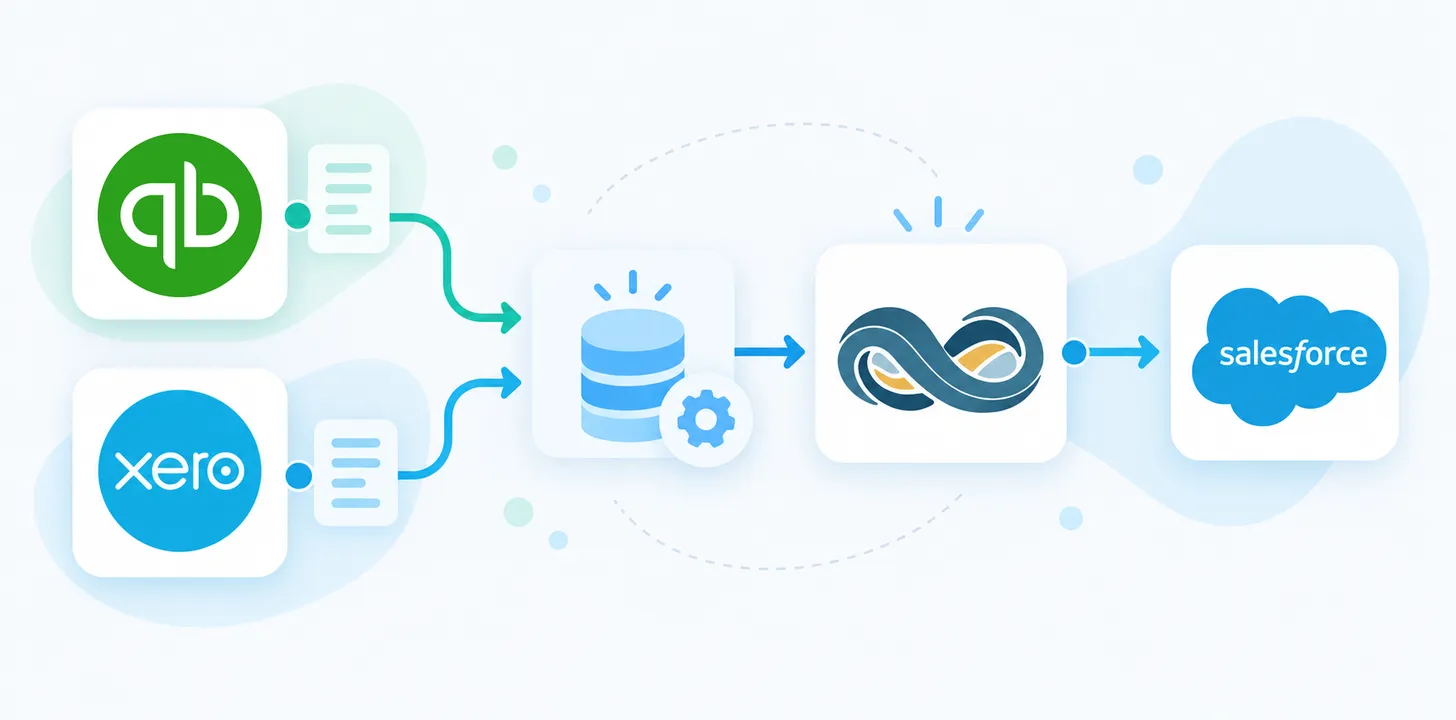
Nothing breaks when finance moves from QuickBooks or Xero to NetSuite, and nothing carries over automatically. Breadwinner for QuickBooks, Breadwinner for Xero, and Breadwinner for NetSuite are separate Salesforce managed packages, each with its own objects and mappings. The NetSuite package is installed alongside the one you have, configured for NetSuite’s records, and switched on once finance is live in NetSuite. Your reps keep working from the same Account records. The books migration is its own project, with its own partner and tooling. This post covers the Salesforce side.
Whether to move at all is a separate question. The signs a business has outgrown QuickBooks or outgrown Xero are covered elsewhere. What follows assumes the decision is made.
Why the CRM integration gets remembered last
An ERP move gets planned in layers. Someone picks NetSuite. Someone picks an implementation partner. Someone scopes the data migration. The Salesforce integration is usually remembered when a rep asks why the invoices on an account stopped updating.
That order is understandable. The books are the system of record and the migration is the risky part. But the sales team is the group that notices first when finance data goes stale in Salesforce, and they notice in front of customers.
In Breadwinner’s experience, easily 90% of the B2B, invoice-issuing companies that outgrow QuickBooks move to NetSuite. It is a well-worn path, and the Salesforce side of it has a shape you can plan around.
What your sales team has today
With Breadwinner for QuickBooks, QuickBooks customers are matched to Salesforce Accounts, and invoices, payments, credit memos, and estimates sync onto those Accounts in real time. A rep can raise an invoice from an Opportunity and it lands in QuickBooks. With Breadwinner for Xero, the same holds for contacts, invoices, payments, credit notes, and quotes.
The point of that setup is that nobody has to ask finance whether a customer paid. FlexSpace Logistics cut invoice creation from 20 to 30 minutes each down to 5 minutes, across more than 250 invoices a month, by raising them from Salesforce. The Greater New Haven Chamber of Commerce gave every account manager the invoice history on the accounts they own.
Whatever NetSuite changes, that is the bar: reps see live finance data on the record they already use, without a second login.
What NetSuite adds to the data model
NetSuite is an ERP, so the records it holds go well beyond invoices and payments. Breadwinner for NetSuite replicates those records into Salesforce as their own objects. The object structure is public. For a team coming from QuickBooks or Xero, the records reps already see in Salesforce map like this.
| In Salesforce today, from QuickBooks or Xero | In Salesforce, from NetSuite | What changes |
|---|---|---|
| Customer or contact, matched to an Account | NetSuite Customer (Company or Individual) | The customer type, and which subsidiary the customer belongs to |
| Invoice | NetSuite Invoice, with line items | Line items are their own records |
| Payment | NetSuite Payment and Payment Transaction | The link between a payment and the invoices it settled is a record |
| Credit memo or credit note | NetSuite Credit Memo | Applied through the same Payment Transaction record |
| Estimate or quote | NetSuite Estimate | Same idea |
| Items or products | NetSuite Item, Price Level, Item Price | Customer-specific pricing |
Four more records arrive that reps have never had in Salesforce. The QuickBooks and Xero integrations do not sync them, either because those systems have no such record or because they carry the information as a field rather than a record.
| New record from NetSuite | What it gives reps |
|---|---|
| NetSuite Sales Order | The step between a closed deal and an invoice, with its own line items and status |
| NetSuite Item Fulfillment | Shipping status per order |
| NetSuite Currency | Today the currency is a field on each invoice. As a record, reps can filter and report on it |
| NetSuite Subsidiary | Which legal entity a customer or transaction belongs to. QuickBooks and Xero hold one company per file, so there is nothing to map |
Those new records are why companies move. Blues ran Salesforce for sales and Xero for quotes and invoices. When its supply chain team moved to NetSuite, a rep needed stock from NetSuite, the customer from Salesforce, and pricing from both to write a quote. Breadwinner for NetSuite put inventory, pricing, and fulfillment status on the Salesforce record, and reps create sales orders from there.
Without Breadwinner for NetSuite, we’d be missing 30% of what we need.
Brent Cline, Chief of Staff and Head of Sales Operations, Blues
One rule comes with the data: it is read-only in Salesforce. Edits there are not written back to NetSuite and are overwritten from NetSuite on a schedule. Creating or changing a NetSuite record goes through Breadwinner’s guided wizard or API. That is the control finance will ask about. A rep cannot alter an invoice by editing a field.
IRIS Software is the receivables version of the same gain. With outstanding NetSuite invoices on the account, its sales team stopped selling to customers who had not paid, and aged receivables fell.
The NetSuite integration is a second package, installed alongside
Because the packages are separate, there is no step called “migrate the integration”. Two Breadwinner packages in one org is normal: Breadwinner Payments already runs alongside any of the three finance integrations. You install Breadwinner for NetSuite from the AppExchange, connect it to your NetSuite account, and configure its mappings for NetSuite’s objects. Nothing is copied from the QuickBooks or Xero configuration, because the objects on the NetSuite side are different.
The work that does carry over is everything your team built on top of the old objects in Salesforce. Reports that read invoice fields. Flows and formula fields that check payment status. Page layouts with Breadwinner related lists on them. Dashboards. Each of those points at the QuickBooks or Xero objects today and needs a NetSuite equivalent. Take an inventory before anything is switched off. This is where the surprises live.
Timing: switch the CRM after finance goes live
Make the Salesforce change after the finance change, with a gap between them.
Before cutover, inventory the Salesforce dependencies above and agree with finance how much history moves to NetSuite. That second decision sets what reps will see afterwards; the next section covers it.
During the migration, nothing changes in Salesforce. QuickBooks or Xero is still the system of record and the existing integration keeps running against it.
After finance signs off the migrated data, connect Breadwinner for NetSuite. The first sync pulls NetSuite’s records into Salesforce, history included. Verify a handful of accounts against NetSuite, rebuild reports and flows on the new objects, then retire the old package.
Retire it carefully. Uninstalling a managed package deletes its objects and every record in them. Salesforce creates an export file during the uninstall and keeps it for two days (Salesforce Help). Take the export, and leave the old package in place until the NetSuite data has been verified through one month-end close.
History: what reps will and will not see
Breadwinner for NetSuite shows what is in NetSuite. Obvious, and the biggest planning decision on the Salesforce side.
Migrate open balances only, and the day the old package is retired the relationship history leaves Salesforce with it. A rep opening an account sees this year’s open invoices and nothing before. Migrate full transaction history, and the first sync puts all of it on the account. Volume is not the limit: Breadwinner’s requirements page says it handles “thousands or even hundreds of thousands of NetSuite Companies or historical Invoices.”
The constraint is the migration scope. Settle it before the project is quoted, per record type rather than by years, with a worked framework for which historical transactions to bring and with sales in the room. Finance may be content with open balances. The rep who calls a five-year customer is not.
Before you start
Six steps, in order.
- Decide the history scope with finance and sales together.
- Check the QuickBooks or Xero data against NetSuite’s import rules before the migration is scoped. A migration readiness audit that reads the source in full lists what NetSuite will reject.
- Inventory every report, flow, formula field, page layout, and dashboard that reads the QuickBooks or Xero objects in Salesforce.
- Map the NetSuite fields you need in Salesforce, including subsidiary and currency, plus any custom fields.
- Set the Salesforce cutover date after the finance go-live date, with at least one verified close between them.
- Install Breadwinner for NetSuite. Most teams are syncing in hours. Multi-subsidiary configurations take days.
Frequently asked questions
Does Breadwinner for NetSuite work with NetSuite OneWorld?
Yes. Multi-subsidiary, multi-currency, and multi-tax configurations are handled natively, and each subsidiary’s data maps into Salesforce without manual workarounds. Subsidiary and currency arrive as records reps can filter on.
How long does the NetSuite integration take to set up?
Installation takes minutes, and most customers are syncing data in hours. Setups with custom objects or many subsidiaries typically take days rather than weeks. No coding is needed for the standard case; a guided setup wizard covers it.
Who does the QuickBooks or Xero to NetSuite migration itself?
Not Breadwinner. Moving the books is a separate project, run by your NetSuite implementation partner or a dedicated migration tool, and it is where the history-scope decision gets made. Breadwinner’s job starts once the data is in NetSuite: putting it in front of your Salesforce users.
Planning the move? Book a NetSuite demo. It is a live walkthrough of NetSuite data on a Salesforce account record, with your history question on the agenda.